
Mostbet App Download Android iOS
The official application provides access to all features and entertainment options through a dedicated mobile solution. Mostbet App download for Android and iOS supports devices that run Android 5.0 and higher, plus iOS 11.0 and higher, which covers recent smartphones and tablets released after 2015. Installation takes 2-3 minutes and requires just 150 MB of storage space. The application grants access to the full range of entertainment sections, which includes the complete selection of slot games, table games, and live dealer options, plus the entire selection of markets for placing predictions. Mostbet App download for Android and iOS delivers faster loading times than the mobile website version, secure login options through biometric authentication, and push notifications about account activity. The application stores login credentials and provides offline access to transaction history.
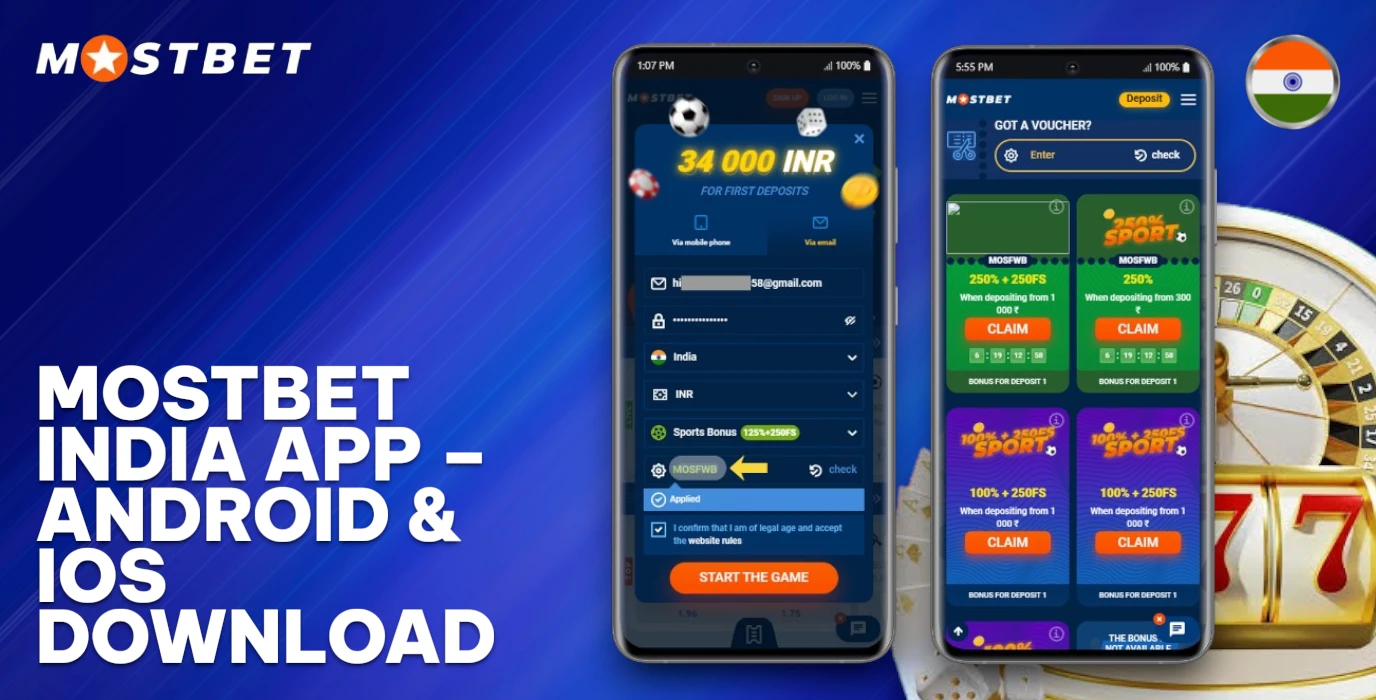
App Functional Features
The software provides access to essential tools for account management and entertainment options. Users can complete tasks through a streamlined interface designed for Indian gamblers.
- Registration – Create a new account by providing basic details and confirming identity through email or phone verification;
- Login – Access the account using credentials or biometric authentication on supported devices;
- Deposits – Fund the account through UPI, Paytm, PhonePe, and 15+ other payment methods with transactions in INR;
- Withdrawals – Request payouts to bank accounts or e-wallets with processing times from 15 minutes to 72 hours;
- Placing predictions – Select outcomes and set stakes on 40+ disciplines;
- Entertainment section – Play 5000+ games from 80+ providers;
- Streaming – Watch real-time broadcasts of selected matches;
- Push alerts – Receive updates about bonuses and results;
- Profile management – Update personal data and security settings.
APK Android Download
The Mostbet App download for Android and iOS requires an APK file from the official website for Android devices. Gamblers must use supported recent devices to maintain compatibility and avoid technical issues. The installation process remains simple and quick, which grants access to all features within minutes.
Enable Unknown Sources
Android restricts installations from external sources by default. Follow these steps to allow the setup file to install on your device.
- Open device settings and locate the security menu.
- Find the option labeled "Unknown Sources" and tap it.
- Toggle the switch to enable installations from external sources.
- Confirm the action when the security prompt appears.
Open Official Site
Access the platform through a mobile browser to begin the download process. Follow these steps to reach the dedicated mobile section.
- Launch Chrome or Safari on your device.
- Type the official domain name in the address bar.
- Press Enter to load the homepage.
- Tap the menu icon to access additional options.
Find Mobile Section
Access the official website and locate the main menu at the top of the homepage or scroll down to the footer area. Download buttons appear in a dedicated section labeled "Mobile Apps" or "Applications". Tap this section to view separate download options for Android and iOS devices available for users in India.
Start APK Download
The process begins once a user locates the download option. Complete the following steps to obtain the Mostbet App download for Android and iOS installation file on an Android device:
- Tap the Android download button on the official page.
- Confirm the APK download prompt in the browser window.
- Check the file size displays correctly.
- Wait for the download to complete.
Install APK File
Follow these steps to complete the setup process on your Android device and access all features available through Mostbet:
- Locate the downloaded file. Open the file manager and find the APK in your downloads folder.
- Tap the file. Select the APK to start the setup process.
- Confirm permissions. Grant installation rights when prompted by the system.
- Monitor progress. Watch the installation bar fill completely.
- Launch the app. Tap the new icon on your home screen.
Android System Requirements
The application functions on devices that meet specific technical standards. The following table outlines what your device needs to run the software correctly.
| Requirement | Specification |
|---|---|
| Android version | 5.0 or higher |
| RAM | 1 GB minimum |
| Free storage | 100 MB |
| Processor class | Quad-core 1.2 GHz |
| Internet connection | Stable 3G or faster |
| App size | 95 MB |
| Supported languages | Hindi, English, Bengali, Tamil |
iOS App Download
Installation of the Mostbet App download for Android and iOS on Apple devices follows a straightforward process. Follow the steps below to get the application on your iPhone or iPad.
- Open the official website. Visit the main page through Safari or another browser.
- Find the download section. Tap on the iOS icon to start the process.
- Download the configuration profile. The file downloads automatically to your device.
- Open Settings. Go to the downloaded profile section on your iPhone or iPad.
- Install the profile. Tap the install button and enter your passcode.
- Confirm the installation. Accept the installation request and wait for completion.
- Trust the developer. Navigate to Settings, then General, and trust the certificate.
- Launch the application. Open the app from your home screen.
iOS Compatibility Requirements
Apple device owners can install the app on various models. The table below outlines technical specifications and system requirements for iPhone and iPad users in India.
| Parameter | Specification |
|---|---|
| Supported iOS versions | iOS 12.0 and higher |
| Compatible iPhone models | iPhone 6s and newer generations |
| Compatible iPad models | iPad Air 2 and newer generations |
| Minimum free storage | 150 MB |
| App size | 120 MB |
| Interface languages | English, Hindi, Bengali, Tamil, Telugu, Marathi |
PC Windows Application
Desktop users can access the full range of features through a dedicated installer. The table below outlines system requirements and technical specifications for running the software on personal computers. This overview covers everything from supported operating systems to language availability.
| Parameter | Specification |
|---|---|
| Supported OS | Windows 7, 8, 10, 11 |
| Processor | 1 GHz or faster |
| RAM | 2 GB minimum |
| Disk Space | 150 MB free |
| Internet Connection | Broadband required |
| Application Version | 2.5.1 |
| Languages | Hindi, English, Bengali, Telugu, Tamil |
Emulator Application Use
Windows users can run the Android version through emulator software on their computers. The process requires several straightforward steps to complete.
- Download the emulator software. Visit the official BlueStacks or NoxPlayer website and download the installation file to your Windows computer.
- Install the emulator. Open the downloaded file and follow the on-screen prompts to complete the installation process.
- Launch the emulator. Open the installed software and wait for the Android environment to load completely.
- Add the APK file. Drag the downloaded APK file into the emulator window or use the built-in file browser.
- Open the app. Tap the Mostbet icon to launch the application.
Application Capabilities
Mostbet App download for Android and iOS grants access to various functions. Key features include:
- Full account control – manage deposits, withdrawals, and profile settings;
- Multi-section access – navigate between different sections directly from the main screen;
- Live data – view real-time updates and current information;
- Push notifications – receive alerts about promotions and account activity.
One Click Registration
Complete the account setup process within seconds through a streamlined method. Follow these steps to gain immediate access to Mostbet.
- Open the registration form. Launch the downloaded app and tap the sign-up button.
- Select the one-click method. Choose this option from the available registration types.
- Enter basic data. Provide your country and preferred currency in rupees.
- Confirm the details. Review the information and accept the terms.
- Enjoy auto-login. The system logs you in automatically after successful completion.
Account Verification Steps
Complete the KYC procedure to access all features and withdraw funds from the account. The process requires document submission and confirmation of personal details.
- Open the verification section from the profile menu in the application.
- Upload clear photos of identity documents such as Aadhaar card or PAN card.
- Submit proof of address documentation like utility bills or bank statements.
- Check that all personal data matches the submitted documents.
- Wait for the review team to process the submission.
- Monitor verification status through the profile settings tab.
Deposit Withdrawal Options
The application supports various banking solutions for transactions. Users can fund accounts and request payouts through methods popular among Indians.
| Method | Deposits | Withdrawals | Min Limit | Max Limit | Processing Time | Fees |
|---|---|---|---|---|---|---|
| UPI | Yes | Yes | ₹300 | ₹100,000 | Instant | None |
| Paytm | Yes | Yes | ₹300 | ₹100,000 | Instant | None |
| Visa/Mastercard | Yes | Yes | ₹500 | ₹150,000 | 1-3 days | None |
| AstroPay | Yes | Yes | ₹500 | ₹200,000 | Instant | None |
| PhonePe | Yes | Yes | ₹300 | ₹100,000 | Instant | None |
Sports Betting Mobile
The application provides access to 35+ options for placing predictions on matches. Users can browse the full lineup and select their preferred event. Pre-match and live options allow predictions before the start or during ongoing matches. The selection process involves choosing an outcome from the available markets, which include over 150 varieties per match. After selecting an outcome, users tap the odds to add it to the bet slip. The slip displays the chosen selection, stake amount, and potential return in INR. Users can review their choices and confirm the placement. The cash-out feature allows early settlement of active predictions for a guaranteed return before the match ends.
Casino App Live Rooms
The application grants access to over 2,500 slots from 80+ providers and 150 table variations with real dealers. Players navigate through dedicated lobbies where filters sort content by provider, game type, and stake limits. The interface displays minimum bets starting from ₹10 for most slot titles and ₹50 for table options with live croupiers. Provider filters allow quick selection of favourites such as Evolution Gaming, Pragmatic Play, and Ezugi studios. The lobby organises rooms by category – roulette, blackjack, baccarat, poker variants, and game shows. Each section shows available seats, dealers on duty, and current stake ranges before joining. Navigation remains simple with search functions and favourites tabs for faster access.
Live Streaming In Play Bets
Users access live streaming through a dedicated section within the application. The interface displays current events alongside available lines. Switching between markets takes one tap on the menu. The screen shows odds that update in real-time. Bettors place instant predictions directly from the streaming view without closing the video feed. The system processes each selection within seconds. A quick confirmation appears after submission. The layout arranges all necessary controls within reach for fast decision execution.
Push Notification Settings
Users can control alerts through the application's notification settings to stay updated on promotions, account changes, and technical updates. The following steps describe the configuration process:
- Opening settings. Tap the profile icon and select Settings.
- Finding notification options. Scroll down and tap Notifications.
- Enabling alerts. Toggle the master switch to activate notifications.
- Selecting alert types. Choose from promotions, account updates, bonuses, and technical alerts.
- Muting unwanted alerts. Disable specific categories to reduce interruptions.
Exclusive Application Bonus
Players who complete Mostbet app download for Android and iOS gain access to special rewards at registration. The platform provides several opportunities to boost the starting bankroll through the mobile software.
- Welcome bonus via promo code – new players enter a special code during account creation to claim up to ₹25,000 on the first deposit;
- Extra boost for mobile installation – app users receive an additional 10% on top of the standard welcome offer;
- Example figures – a ₹10,000 deposit turns into ₹36,000 total balance with both bonuses combined;
- Wagering requirements – players must roll over the bonus amount 5 times at minimum odds of 1.40;
- Time limits – app users have 30 days to meet the rollover conditions;
- Activation method – bonuses activate automatically after the first qualifying deposit through the application.
Application Update Process
Updates arrive automatically through in-app prompts that notify users about new versions. Android users download fresh APK files from the official website and install them manually. iOS users receive notifications to reinstall updated files. The Mostbet app download for Android and iOS follows this standard flow. Each update takes 2-3 minutes to complete. The system preserves account data and settings during installation.
Manual Automatic Update
Gamblers maintain the application through two update approaches. The steps below outline both methods for keeping the software current on Android and iOS devices.
- Enable auto-update. Access device settings and activate automatic updates for the application.
- Check version. Open the app settings menu and verify the current build number.
- Visit store. Navigate to Google Play Store or App Store and locate the application page.
- Download manually. Tap the update button to install the latest version on the device.
Latest Version Data
The table below contains technical specifications of the current application build. These details help users understand system requirements and compatibility before download.
| Parameter | Details |
|---|---|
| Version Number | 5.2.8 |
| Release Date | March 15, 2026 |
| File Size | 128 MB (Android), 142 MB (iOS) |
| Cost | Free |
| Supported OS | Android 6.0+, iOS 12.0+ |
| Available Languages | 15 (including Hindi, English, Bengali) |
Application Issues Solutions
Technical problems with downloaded software often need simple fixes. Users face typical obstacles during installation and usage, but these challenges have straightforward resolutions. The following subsections present common difficulties and their practical solutions. This guide covers frequent errors that occur with Android and iOS versions. Each problem receives a direct answer to help users resolve issues quickly and continue using the app without delays.
Install Blocked Issue
Android devices prevent third-party installations by default. Follow these steps to resolve the problem and complete setup:
- Access settings. Open device settings and locate the security section.
- Enable unknown sources. Activate permission for installations from external sources.
- Download APK again. Remove the old file and fetch a fresh copy from the official website.
- Clear cache. Open browser settings and delete cached data completely.
- Confirm prompts. Tap on all security warnings and approve the installation request.
Launch Crash Issue
Technical problems can prevent the application from working correctly on Android and iOS devices. Follow these steps to resolve the problem and restore access to the account.
- Restart the device. Turn off the smartphone and turn it on again.
- Clear the application cache. Open device settings and remove temporary files from the application.
- Update to the latest version. Download the newest release from the official source.
- Reinstall the application. Delete the current version and install it again.
- Contact technical support. Reach out to the assistance team through available channels.
Login KYC Issue
Account access problems and verification failures require specific solutions to restore entry to the account. Follow these steps to address authentication and document verification challenges on the platform.
- Reset password. Navigate to the login page and select the password recovery option to receive a reset link via email.
- Enter correct credentials. Verify the username and password match the registered account details exactly.
- Resubmit documents. Upload clear copies of identification papers through the verification section.
- Contact support team. Open a ticket in the help center and describe the problem to receive assistance from specialists.
Application Support Service
Users who download the application can reach the assistance team through several channels for any queries or technical difficulties.
- Live chat – available 24/7 through the application interface with average response time under 2 minutes;
- Email support – contact [email protected] for detailed inquiries with responses within 4-6 hours;
- Telegram messenger – instant messaging option with 24-hour availability;
- WhatsApp hotline – direct messaging service active round the clock;
- Phone support – dedicated Indian helpline reachable from 10:00 to 22:00 IST for urgent matters;
- Recommended contact cases – account verification questions, payment processing issues, technical errors, bonus clarifications.
App Web PC Comparison
Mostbet App download for Android and iOS offers distinct advantages over alternative access methods. The table below presents key performance metrics across different platforms available to Indian users.
| Feature | App | Mobile Site | PC Version |
|---|---|---|---|
| Speed | Fast | Medium | Fast |
| Stability | High | Medium | High |
| Features | Full access | Limited functions | Full access |
| Data Use | Low | High | Not applicable |
| Login Comfort | Auto-login | Manual entry | Manual entry |
Application Selection Reasons
The choice between different access methods depends on individual preferences and technical requirements. Gamblers can evaluate their options through a comparison of key advantages and restrictions.
| Strong Points | Limitations |
|---|---|
| Dedicated software allows faster access to all features | Initial installation requires 150 MB of storage space |
| Push notifications deliver instant updates on active bets | Manual updates needed every 2-3 months |
| Offline account management saves mobile data | Unavailable through Google Play Store in India |
| Touch ID and Face ID add security layers | Requires Android 5.0 or iOS 11.0 minimum |
| Optimized graphics run smoothly on older devices | APK installation needs permission adjustments |
Mostbet App download for Android and iOS provides direct installation files through the official website. The software supports 15 languages and accepts deposits in INR through UPI and Paytms.
FAQ
Is the Mostbet App Better to Use Than the Website?
The dedicated software offers faster loading speeds and push notifications for account updates. The mobile version provides similar functionality without installation. Both options support secure transactions through UPI and other payment methods accepted in India.
Is It Legal to Use the Mostbet App?
Users download and access the application at their own discretion and responsibility. The platform accepts registrations from India. Each person should verify local laws before creating an account and placing any bets.
Is There a Bonus for Installing the Mostbet App?
Installation does not bring special bonuses. Welcome offers remain accessible through the website and downloaded version equally. Promo codes apply to all platforms, granting access to standard promotions for new players.
Does the App Offer Live Slot Tournaments and Events?
The application allows access to slot tournaments and live casino events directly from mobile devices. Players can join competitions, participate in real-time dealer games, and track their progress through the dedicated interface.